
e252 – Midyear Check – Where Do You Use “AI” for Presentations?
Show Notes – Episode #252
It’s the midpoint of 2026, the world of presentations is experiencing a profound transformation, driven by the rapid evolution of artificial intelligence. In this episode we are joined by presentation experts who share their real-world experiences, frustrations, and triumphs with AI-powered tools for their PowerPoint workflows.
Across all conversations, a clear theme emerged: AI is a powerful assistant, but not a replacement for human expertise. Listen now!
Highlights from this episode:
- Fiona Walsh uses Copilot to craft engaging hooks and conclusions for presentations. For her training programs she has a unique use of preparing for audience questions by generating likely queries with AI, and has a great example of leveraging AI to create analogies and visuals for complex concepts.
- Echo Swinford uses AI to generate complex XML code for custom table styles, saving hours of manual work.
- Steve Rensburg solves specific VBA coding problems for PowerPoint add-ins, getting solutions in seconds that once required extensive research.
- Amanda Dalton focuses on automating labor-intensive tasks to improve efficiency, like the tedious slide formatting needs, and an amazing example of fixing formatting issues when converting PowerPoint files to Google Slides.
- John Polk notes he uses Microsoft Copilot because that is where his corporate client use. Use examples include AI to brainstorm analogies, create custom icons, enhance speeches with rhetorical devices, and a great idea of using Gemini Notebook to convert content into podcasts for improved memorization and delivery.
- Sandy Johnson uses Copilot for brainstorming slide headlines, extracting data from images, and enhancing existing presentations. The overall need at this stage is to use a combination of AI-powered features from different platforms and apps to accomplish what is needed for projects, and the achieve best results.
- Nolan Haims uses Claude and ChatGPT primarily for research, outlining, and many business tasks (e.g., contract review, LinkedIn strategy). For image editing Photoshop’s AI remains the go-to for its speed and reliability.
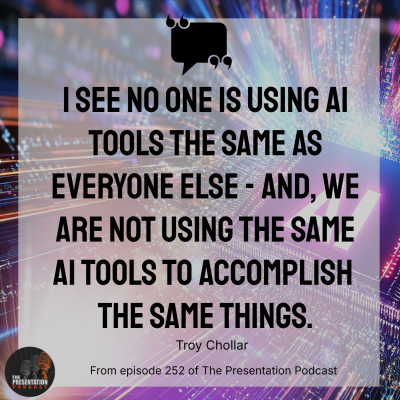
- Troy Chollar uses Copilot Premium for automating daily business tasks (email summarization, document queries) and for design sees the many AI tools and features as a workflow enhancer, not a direct presentation creator.
Resources from this Episode:
- Links
Show Suggestions? Questions for your Hosts?
Email us at: [email protected]
New Episodes 1st and 3rd Tuesday Every MonthThanks for joining us!